
MP Bhulekh Mutation Status कैसे देखें? (Naamantaran Status & Update Guide)
अगर आपने मध्य प्रदेश में हाल ही में कोई जमीन खरीदी है, परिवार में जमीन का बंटवारा हुआ है, या विरासत में जमीन मिली है, तो राजस्व रिकॉर्ड में नए मालिक का नाम दर्ज होना अत्यंत महत्वपूर्ण है। जानें नामांतरण स्थिति (Pending/Approved/Rejected) की ऑनलाइन जांच और आवश्यक सुधार प्रक्रिया।
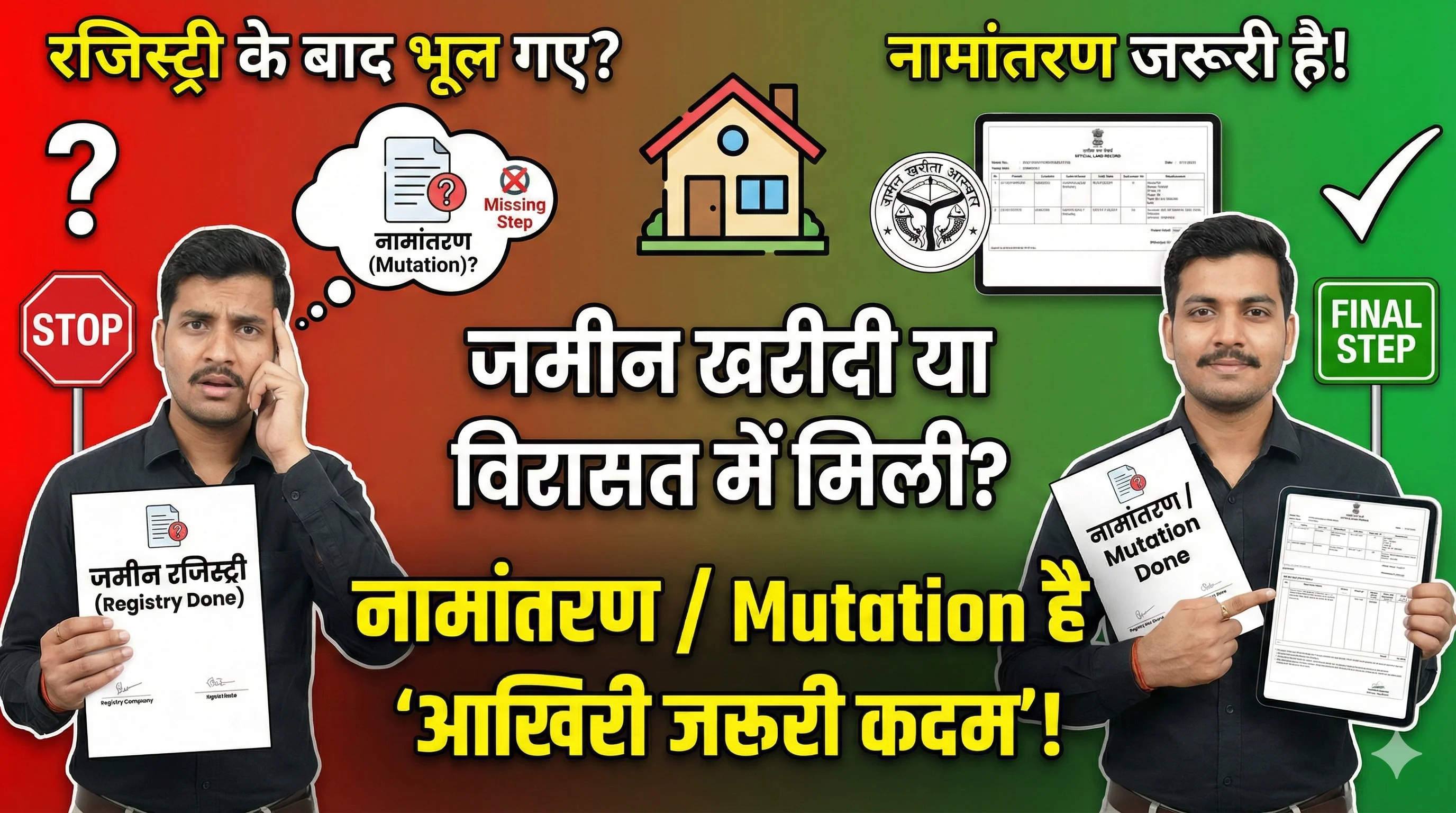
अगर आपने मध्य प्रदेश में हाल ही में कोई जमीन खरीदी है, परिवार में जमीन का बंटवारा हुआ है, या माता-पिता अथवा परिवार के किसी सदस्य से विरासत में जमीन मिली है, तो जमीन से जुड़े revenue record में नए मालिक की जानकारी update हुई है या नहीं, यह देखना महत्वपूर्ण है।
इसी प्रक्रिया को आमतौर पर Mutation या नामांतरण कहा जाता है।
कई लोग जमीन की Registry होने के बाद यह मान लेते हैं कि अब किसी दूसरे record को देखने की जरूरत नहीं है। लेकिन Registry के बाद revenue record में संबंधित बदलाव की स्थिति समझना भी जरूरी होता है।
“मेरा नामांतरण हुआ या अभी Pending है?”
इसे समझने के लिए Mutation Application Number, Revenue Case Number या उपलब्ध case details की मदद से संबंधित status देखा जा सकता है। इसके अलावा mutation approve होने के बाद Khasra/Khatauni record में नया नाम और दूसरी details सही दिखाई दे रही हैं या नहीं, यह भी verify करना चाहिए।
यह guide आपको आसान भाषा में समझाएगी:
- ✓Mutation / नामांतरण क्या है?
- ✓इसकी जरूरत कब पड़ती है?
- ✓Mutation Status कैसे check करें?
- ✓Mutation Case Number कहां मिलता है?
- ✓Pending, Approved, Objection और Rejected status का क्या मतलब है?
- ✓Mutation pending क्यों रह सकता है?
- ✓Approved होने के बाद भी नाम update न हो तो क्या करें?
- ✓Mutation reject होने पर आगे क्या करें?
- ✓कौन-से documents तैयार रखने चाहिए?
- ✓Mutation complete होने के बाद Khasra Khatauni में क्या verify करें?
Mutation / नामांतरण क्या होता है?
Mutation या नामांतरण का सामान्य अर्थ है जमीन से जुड़े revenue record में ownership से संबंधित बदलाव को दर्ज करना।
जब जमीन किसी दूसरे व्यक्ति के नाम transfer होती है, तो उस बदलाव के आधार पर revenue record में भी संबंधित entry update करने की प्रक्रिया हो सकती है।
उदाहरण के लिए, आपने किसी व्यक्ति से जमीन खरीदी और Registry पूरी हो गई। Registered Sale Deed में buyer के रूप में आपका नाम दर्ज हो सकता है, लेकिन संबंधित land record में पुराने owner की entry तुरंत बदल जाए, यह हर स्थिति में जरूरी नहीं है। Revenue record में संबंधित बदलाव के लिए Mutation / नामांतरण की प्रक्रिया relevant हो सकती है।
इसी तरह inheritance में भी ऐसा हो सकता है। मान लीजिए किसी जमीन का record आपके पिता के नाम पर था। उनके बाद applicable inheritance process के अनुसार heirs की जानकारी revenue record में update करनी हो, तो नामांतरण की जरूरत पड़ सकती है।
Registry और Mutation में क्या अंतर है?
Registry और Mutation को कई users एक ही प्रक्रिया समझ लेते हैं। लेकिन दोनों को एक ही चीज मानना सही नहीं है।
Registry (पंजीकरण / Sale Deed)
Property की खरीद-बिक्री के मामले में registered Sale Deed transaction से जुड़ा एक महत्वपूर्ण legal document होता है। इसमें seller, buyer, property details और transaction से संबंधित information दर्ज होती है।
Mutation / नामांतरण (Revenue Record Update)
Mutation revenue record में ownership-related change को update करने की प्रक्रिया से जुड़ा होता है। Registry होने के बाद राजस्व रिकॉर्ड में आपका नाम नए खातेदार के रूप में दर्ज होने की प्रक्रिया नामांतरण कहलाती है।
Mutation के बाद क्या update हो सकता है?
Mutation process complete होने के बाद applicable revenue record में ownership-related information update हो सकती है। इसमें उपलब्ध record के अनुसार:
लेकिन हर district, record और case में बिल्कुल same fields दिखाई दें, यह जरूरी नहीं है। Mutation approve होने के बाद updated record देखने के लिए Khasra / Khatauni record verify करना महत्वपूर्ण है।
विस्तृत जानकारी के लिए पढ़ें: Khasra Khatauni MP Guide
MP Bhulekh Mutation क्यों जरूरी है?
Mutation का practical महत्व यह है कि जमीन के revenue record में current ownership-related information सही तरीके से reflect हो सके।
1. भविष्य में जमीन बेचते समय
अगर आप बाद में जमीन बेचना चाहते हैं और revenue record में अभी भी previous owner का नाम दिखाई दे रहा है, तो buyer सवाल कर सकता है कि record update क्यों नहीं हुआ। इसलिए transaction के बाद mutation status और updated record verify करना उपयोगी होता है।
2. Bank Loan या Mortgage के समय
Agricultural loan, land-related loan या mortgage की स्थिति में bank land record documents मांगता है। अगर applicant और land record की ownership details में difference दिखाई देता है, तो bank additional clarification या documents मांग सकता है। Exact requirement संबंधित bank से confirm करनी चाहिए।
3. Family Partition में
Joint family property में ownership और हिस्सेदारी से संबंधित entries महत्वपूर्ण हो सकती हैं। Partition के बाद applicable revenue record में update नहीं होने पर future verification में confusion हो सकता है।
4. Inheritance (विरासत) में
माता-पिता या किसी दूसरे family member की मृत्यु के बाद applicable inheritance process के अनुसार revenue record में heirs से संबंधित बदलाव की जरूरत पड़ सकती है। अगर record लंबे समय तक पुराने owner के नाम पर रहता है, तो future transaction या verification में अतिरिक्त documents की जरूरत पड़ सकती है।
5. Land Record Mismatch से बचने के लिए
Registry या दूसरे ownership documents में एक नाम और current revenue record में दूसरा नाम दिखाई देने पर user को mismatch समझना पड़ता है। इसलिए mutation complete होने के बाद updated Khasra/Khatauni record check करना महत्वपूर्ण है।
MP Mutation किन Cases में हो सकता है?
Mutation केवल जमीन खरीदने के बाद ही relevant नहीं होता। Ownership-related change अलग-अलग कारणों से हो सकता है:
1. Sale Deed – जमीन खरीदने के बाद
यह सबसे common situation है। उदाहरण के लिए: Ramesh → जमीन बेचता है → Suresh जमीन खरीदता है। Registry में buyer के रूप में Suresh का नाम दर्ज होता है। इसके बाद applicable process के अनुसार revenue record में previous owner की जगह नई ownership-related entry update होनी होती है।
2. Inheritance – विरासत में जमीन मिलने पर
अगर किसी जमीन के owner की मृत्यु हो जाती है, तो succession/inheritance process के आधार पर legal heirs से संबंधित update की जरूरत हो सकती है। ऐसे cases में Death Certificate और वंशावली documents relevant होते हैं। यह प्रक्रिया तब अधिक verification मांग सकती है जब: एक से ज्यादा heirs हों, किसी heir को objection हो, family dispute हो, share स्पष्ट न हो, या पुराने records में spelling mismatch हो।
3. Gift Deed
अगर property valid Gift Deed (दान पत्र) के माध्यम से transfer की गई है, तो उसके आधार पर revenue record में applicable ownership-related update की जरूरत हो सकती है।
4. Will (वसीयत) के आधार पर
Will से जुड़े मामलों में applicable legal और revenue process के अनुसार mutation की जरूरत पड़ सकती है। ऐसे cases में केवल online information के आधार पर final conclusion नहीं निकालना चाहिए, खासकर अगर family dispute या objection मौजूद हो।
5. Family Partition (पारिवारिक बंटवारा)
अगर joint property का परिवार के सदस्यों के बीच बंटवारा हुआ है, तो applicable documents के आधार पर revenue record में हिस्सेदारी या ownership details update करने की जरूरत हो सकती है। Partition case में Khasra Number और share की जानकारी ध्यान से verify करनी चाहिए।
MP Bhulekh Mutation Status Online कैसे Check करें?
Mutation application देने के बाद उसका current status जानना जरूरी हो सकता है। Portal का interface, menu names और available options समय के साथ बदल सकते हैं। नीचे दी गई प्रक्रिया को general workflow की तरह समझें।
संबंधित Portal खोलें
सबसे पहले संबंधित official land/revenue service खोलें। किसी search result में केवल 'MP Bhulekh' लिखा होने से website official नहीं हो जाती। Domain और page identity verify करें। किसी unofficial website पर Aadhaar, OTP या bank details enter न करें।
Mutation / नामांतरण से संबंधित Section देखें
Portal पर available services में Mutation या revenue case से संबंधित option देखें (जैसे Mutation Status, नामांतरण स्थिति, Application Status या Revenue Case Status)। ध्यान रहे: Khasra/Khatauni record और Mutation Application Status अलग information होती हैं।
District Select करें
जिस district में जमीन स्थित है, वही District चुनें। गलत district select करने पर आगे सही Tehsil या Village नहीं मिलेगा।
Tehsil Select करें
District select करने के बाद संबंधित राजस्व Tehsil चुनें। Nearest city या postal address हमेशा revenue tehsil के बराबर नहीं होता।
Village Select करें
संबंधित Village select करें। एक जैसे या मिलते-जुलते नाम वाले गांव होने पर District और Tehsil दोनों cross-check करें।
Mutation Application Number या Revenue Case Number डालें
Official receipt में दिया गया Application Number या Revenue Case Number enter करें। Case Number manually type करते समय extra space न डालें, digits ध्यान से check करें और slash/hyphen का सही format रखें।
Captcha या Verification पूरा करें
Page पर दिखाई देने वाला Captcha ध्यान से भरें। Captcha clear नहीं दिख रहा तो reload करें।
Search / Submit करें
Required details भरने के बाद Search या Submit option use करें। अगर record available है, तो संबंधित case details load हो जाएगी।
Mutation Status ध्यान से पढ़ें
Result में केवल 'Pending' या 'Approved' देखकर page बंद न करें। Application/Case Number, Applicant details, Khasra Number, Order details, Objection info, Date और Remarks को भी ध्यान से देखें।
Mutation Case Number कहां से मिलेगा?
Mutation Status check करने में सबसे बड़ी practical problem कई बार यह होती है कि user के पास case number ही नहीं होता। अगर application/case number उपलब्ध नहीं है, तो सबसे पहले उसे identify करना चाहिए:
1. Mutation Receipt (आवेदन पावती)
अगर नामांतरण के लिए लोक सेवा केंद्र या ऑनलाइन apply किया गया था और receipt मिली थी, तो receipt को ध्यान से देखें। उसमें Application Number, Case Number, Reference Number या similar identifier दर्ज होता है।
2. Patwari / संबंधित Revenue Staff
अगर आपको case number नहीं मिल रहा है, तो संबंधित राजस्व हलके के पटवारी या राजस्व निरीक्षक (RI) से mutation register / नामांतरण पंजी के आधार पर case details की जानकारी ली जा सकती है।
3. Tehsil Office (तहसील कार्यालय)
Tehsil office में revenue branch से Applicant Name, Owner Name, Village, Khasra Number और Registry details प्रस्तुत करके case details पता की जा सकती है।
4. Registry के बाद Initiated Process
कुछ workflows में property registration के बाद related revenue process automatically initiate हो सकता है। अगर case number नहीं मिला है, तो संबंधित office से current status confirm करें।
MP Bhulekh Mutation Status का मतलब क्या होता है?
Mutation status समझना उतना ही जरूरी है जितना उसे check करना। सामान्य statuses का अर्थ निम्न प्रकार है:
| Status | सामान्य अर्थ |
|---|---|
| Pending | Application प्राप्त हुई है लेकिन आगे की verification/approval बाकी हो सकती है। |
| In Process | Application पर processing चल रही है। |
| Approved | संबंधित mutation order/process approve हो चुका हो सकता है। Updated record अलग से verify करें। |
| Objection | Case में objection, claim या hearing जैसी स्थिति हो सकती है। |
| Rejected | Application स्वीकार नहीं हुई। Exact reason order/official record से देखें। |
Mutation Pending क्यों दिखाता है?
Mutation application submit करने के बाद लंबे समय तक “Pending” दिखाई देना user के लिए चिंता का कारण बन सकता है। लेकिन Pending के कई possible reasons हो सकते हैं:
1. Verification Pending
Application submit हो गई है लेकिन land details या supporting documents की field verification बाकी है।
2. Approval Pending
Initial processing complete होने के बाद भी सक्षम राजस्व अधिकारी (Tehsildar/Naib Tehsildar) का final approval order pending हो सकता है।
3. Owner Name Mismatch
Registry और existing land record में seller/owner के नाम या spelling में difference होने पर अतिरिक्त सत्यापन चाहिए होता है।
4. Joint Ownership
अगर जमीन एक से ज्यादा लोगों के नाम पर है, तो share और ownership details verify करने में अधिक समय लग सकता है।
5. Khasra Number Mismatch
Sale Deed में दर्ज Khasra Number और revenue record में slash/subdivision notation difference होने पर clarification जरूरी होता है।
6. Objection (दावा / आपत्ति)
अगर किसी व्यक्ति ने mutation पर objection दर्ज कराया है, तो hearing के कारण case time बढ़ जाता है।
7. Documents Incomplete
Required documents पूरे न होने या विवरण अस्पष्ट होने पर application pending रह सकती है।
8. Online Data Update Delay
Administrative order pass हो चुका हो लेकिन portal database synchronization में समय लग रहा हो।
Mutation Update MP में कितना समय लगता है?
Mutation complete होने में लगने वाला समय हर case के लिए एक जैसा नहीं होता। Processing time इन मुख्य बातों से प्रभावित हो सकता है:
- •Mutation का type (Sale / inheritance / partition)
- •Documents complete हैं या additional verification pending है
- •Joint ownership या multi-party case
- •Objection या dispute की उपस्थिति
- •तहसील कार्यालय का workload व administrative processing
- •Portal data synchronization
Mutation Approved हो गया लेकिन नाम नहीं दिख रहा — क्या करें?
यह एक महत्वपूर्ण स्थिति है। कई users देखते हैं कि mutation application का status Approved दिखाई दे रहा है, लेकिन Khasra Khatauni खोलने पर अभी भी previous owner का नाम दिखाई देता है।
ऐसी स्थिति में तुरंत यह assume न करें कि mutation fail हो गया है। इन steps को follow करें:
Approved Status की Details Verify करें
सबसे पहले confirm करें कि Approved status उसी जमीन, Khasra Number और उसी applicant का है।
Updated Khasra Khatauni देखें
Mutation approve होने के बाद संबंधित Khasra Khatauni MP record खोलकर current owner details verify करें।
तुरंत Updated Record न दिखे तो Re-check करें
Administrative approval और online land-record display update के बीच कुछ synchronization gap हो सकता है। कुछ समय बाद दोबारा verify करें।
Order/Case Details सुरक्षित रखें
Mutation approval से संबंधित available order number, case number या order copy सुरक्षित रखें।
Record Update न हो तो संबंधित Office से Verify करें
अगर reasonable समय के बाद भी update न दिखे, तो Tehsil office से स्पष्ट पूछें: 'Mutation order approve हो चुका है, लेकिन current Khasra/Khatauni में updated entry दिखाई नहीं दे रही। क्या record synchronization pending है?'
खसरा खतौनी देखने के लिए: Khasra Khatauni MP Guide
Mutation Rejected हो जाए तो क्या करें?
Mutation application का status Rejected दिखाई दे तो सबसे पहले rejection का exact reason समझें। केवल “Rejected” देखकर नई application तुरंत submit करना हमेशा सही approach नहीं है।
Rejection के मुख्य कारण हो सकते हैं:
Required documents incomplete, applicant details mismatch, owner details unclear, Khasra information mismatch, supporting document missing, objection या ownership dispute।
MP Mutation के लिए कौन-से Documents तैयार रखें?
Required documents mutation type के अनुसार अलग हो सकते हैं। सामान्य श्रेणियों के अनुसार आवश्यक दस्तावेज:
Property Purchase / Sale Case
- • Registered Sale Deed / Registry copy
- • Existing land record (खसरा खतौनी)
- • Khasra/Khatauni details
- • Applicant identity document (Aadhaar / Voter ID)
- • Application receipt/reference
Inheritance (विरासत / वारिसाना) Case
- • Death Certificate (मृत्यु प्रमाण पत्र)
- • Existing land record
- • Heir/inheritance-related documents (वंशावली/वारिसनामा)
- • Legal heirs identity documents
- • Applicable declaration/affidavit
Family Partition (बंटवारा) Case
- • Partition-related document/order (बंटवारा पंचनामा/आदेश)
- • Existing land record
- • Khasra details व प्रस्तावित नक्शा
- • Owners/heirs की relevant information
- • Applicable consent/supporting papers
Gift-related Case (दान पत्र)
- • Registered Gift Deed (पंजीकृत दान पत्र)
- • Existing land record
- • Donor & Donee identity documents
- • Other required supporting papers
MP Bhulekh Mutation Status Check करते समय Common Problems
Online status check करते समय आने वाली तकनीकी समस्याओं के समाधान:
1. Portal Open नहीं हो रहा
Temporary server issue, maintenance या high traffic हो सकता है। Page refresh करें, कुछ समय बाद retry करें, browser cache clear करें या incognito window इस्तेमाल करें।
2. Village List Load नहीं हो रही
Page को load होने का समय दें, District दोबारा select करें, desktop browser इस्तेमाल करें या mobile पर 'Desktop Site' toggle करें।
3. Mutation Status Blank दिखाई दे रहा है
Wrong District/Tehsil/Village selection या incorrect case number के कारण ऐसा होता है। अपने दर्ज किए गए विवरण दोबारा जांचें।
4. Case Number Invalid बता रहा है
Receipt से Case Number फिर से मिलाएं। 0 (zero) और O (letter) का अंतर, slash/hyphen और extra spaces की जांच करें।
5. Captcha बार-बार गलत आ रहा है
Captcha साफ न दिखे तो reload करें, Capital और Small अक्षरों का ध्यान रखें और browser refresh करें।
Mutation Complete होने के बाद क्या Verify करें?
Mutation status Approved या Complete दिखाई देने के बाद process को वहीं खत्म मानकर record check करना छोड़ना सही नहीं है। Updated Khasra Khatauni खोलकर निम्न details verify करें:
✓1. Owner Name
नए owner का नाम और spelling सही दर्ज है या नहीं देखें।
✓2. Father / Husband Name
पिता या पति का नाम सही दर्ज होना समान नाम वाले मामलों में उपयोगी होता है।
✓3. Khasra Number
Mutation जिस Khasra Number के लिए हुआ है, वही number दर्ज है या नहीं।
✓4. Share / हिस्सा
Joint ownership या inheritance में कुल रकबे में से आपका हिस्सा सही दर्ज है या नहीं।
✓5. Area (क्षेत्रफल)
Area और measurement unit (Hectare/Acre) Registry के अनुसार match करें।
✓6. Village / Tehsil
Record सही Village और Tehsil का ही है, यह confirm करें।
✓7. Land Type
Available land classification (कृषि/आवासीय/अन्य) देखें।
✓8. Remarks / Mutation Entry
Record में नामांतरण आदेश क्रमांक व तारीख की कैफियत अवश्य पढ़ें।
Mutation के बाद Khasra Khatauni Verify करना क्यों जरूरी है?
Mutation application approve होना और updated land record में सही information दिखाई देना user के लिए दो अलग checks हैं। अगर mutation approve हुआ लेकिन owner name में spelling error है, गलत share update हुआ है, या area mismatch है, तो तुरंत correction कराया जा सकता है।
MP Bhulekh Login / Portal Issue हो तो क्या करें?
कुछ users को portal access करते समय login, OTP, captcha या page-loading से जुड़ी problems आती हैं। यह समझना जरूरी है कि basic public record और restricted/digital services की login requirements अलग हो सकती हैं।
हर third-party application को official MP Bhulekh app न मानें। अगर कोई unknown app Aadhaar, OTP, unnecessary permissions या payment मांगती है, तो पहले उसका official status verify करें।
Portal और app-related guidance के लिए पढ़ें: MP Bhulekh Login Help
Mutation Status Check करते समय जरूरी Safety Tips
Mutation property ownership से जुड़ी प्रक्रिया है, इसलिए sensitive documents को सावधानी से handle करें:
किसी Unofficial Website पर OTP न डालें
OTP केवल verified official process में ही use करें।
“Instant Mutation” Claim से सावधान रहें
कोई private informational website अपने server से government revenue record direct update नहीं कर सकती।
Unknown Agent को Complete Documents न भेजें
WhatsApp या social media पर unknown व्यक्ति को Registry, Aadhaar और दूसरे documents भेजने से बचें।
Payment से पहले Verify करें
अगर किसी service के लिए fee मांगी जा रही है, तो current official process और payment destination verify करें।
Public Computer पर सावधानी रखें
Cyber cafe या shared computer से document download करने के बाद personal files और browser history remove करें।
Mutation Status Pending हो तो क्या करें? Quick Checklist
- 1. सही Mutation Case Number verify करें।
- 2. District सही है या नहीं देखें।
- 3. Tehsil verify करें।
- 4. Village दोबारा check करें।
- 5. Khasra Number सही है या नहीं देखें।
- 6. Application receipt सुरक्षित रखें।
- 7. Documents complete हैं या नहीं check करें।
- 8. Objection/verification pending है या नहीं समझें।
- 9. लंबे समय तक status change न हो तो संबंधित office से current stage पूछें।
- 10. Approval के बाद updated Khasra Khatauni जरूर verify करें।
Mutation Status Approved हो तो Quick Checklist
- 1. सही Case Number confirm करें।
- 2. Approval/order details note करें।
- 3. संबंधित Khasra Number verify करें।
- 4. Updated Khasra Khatauni खोलें।
- 5. Owner Name check करें।
- 6. Share verify करें।
- 7. Area verify करें।
- 8. Father/Husband Name check करें।
- 9. Remarks देखें।
- 10. Expected update न दिखे तो संबंधित office से record-update status verify करें।
Mutation Rejected हो तो Quick Checklist
- 1. Panic में तुरंत दूसरी application submit न करें।
- 2. Exact rejection reason पता करें।
- 3. Available rejection order/details देखें।
- 4. Registry और Khasra information compare करें।
- 5. Required documents check करें।
- 6. Name/Khasra mismatch identify करें।
- 7. Objection या dispute है तो उसकी स्थिति समझें।
- 8. संबंधित office से applicable next process पूछें।
- 9. Problem correct करने के बाद ही आगे की application/process करें।
Conclusion
MP Bhulekh Mutation / नामांतरण का मुख्य उद्देश्य ownership-related change के बाद revenue record में संबंधित information को update करना है। जमीन खरीदने, inheritance, gift या family partition जैसी situations में mutation relevant हो सकता है।
Application submit करने के बाद केवल इंतजार करने के बजाय उसका available status समय-समय पर verify करना उपयोगी है।
• अगर status Pending है, तो Case Number, District, Tehsil, Village और documents की पूर्णता जांचें।
• अगर Mutation Approved हो गया है, तो Khasra Khatauni में updated owner information जरूर verify करें।
• अगर Approved status के बाद भी नाम update नहीं दिख रहा, तो revenue office से synchronization status confirm करें।
• अगर Mutation Rejected हो गया है, तो बिना reason समझे fresh application करने के बजाय पहले exact rejection reason पता करें।
Frequently Asked Questions (FAQ)
MP Bhulekh Mutation (नामांतरण) Status, Process और Delay से जुड़े सामान्य सवाल